
Clinician Desktop App
Run video self-modeling sessions — right in your clinic.
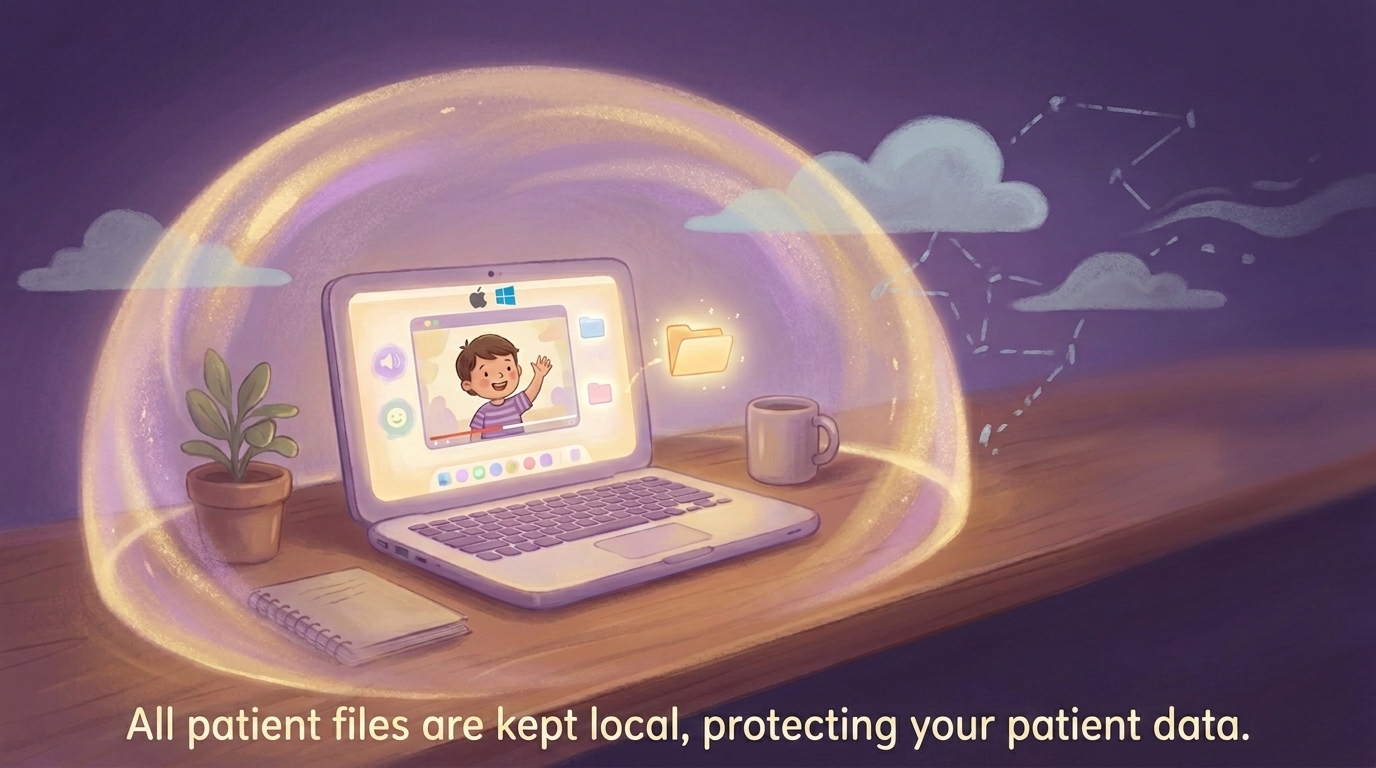
A free desktop app for clinicians who want to use VSM with SM patients. All video processing and storage happens locally on your device. Nothing goes to the cloud.
“I like it because you learn to talk to other people.”
Maya, Age 6
“I like it because it teaches you to use your brave voice.”
Nora, Age 8
How It Works in Your Session
A therapy-room workflow that fits inside a single visit.
Step 01
Choose the scenario together
Select a real-world speaking moment with the child, like ordering food, joining a group, or answering a teacher.
Step 02
Record the child’s response
The child records their own response in the room with you, turning the target into an immediate, guided success.
Step 03
Watch the self-model video back
The app instantly combines the scene and the child’s recording into a personal self-model video they can watch within the same session.
100+ scenarios covering school, restaurants, playgrounds, birthday parties, and everyday social moments. Designed to help clinicians introduce new exposure targets, build motivation, and give kids a tangible, visible win within a single session.
See It in Action
Watch a full session walkthrough.
See how a clinician moves through scenario selection, in-room recording, and self-model playback — from open to close in under a minute.
The web version shown reflects the same scenario library. The desktop app keeps all recordings on your clinic device.
The Desktop App
Here's what it looks like in your clinic.
Three screens. No learning curve.
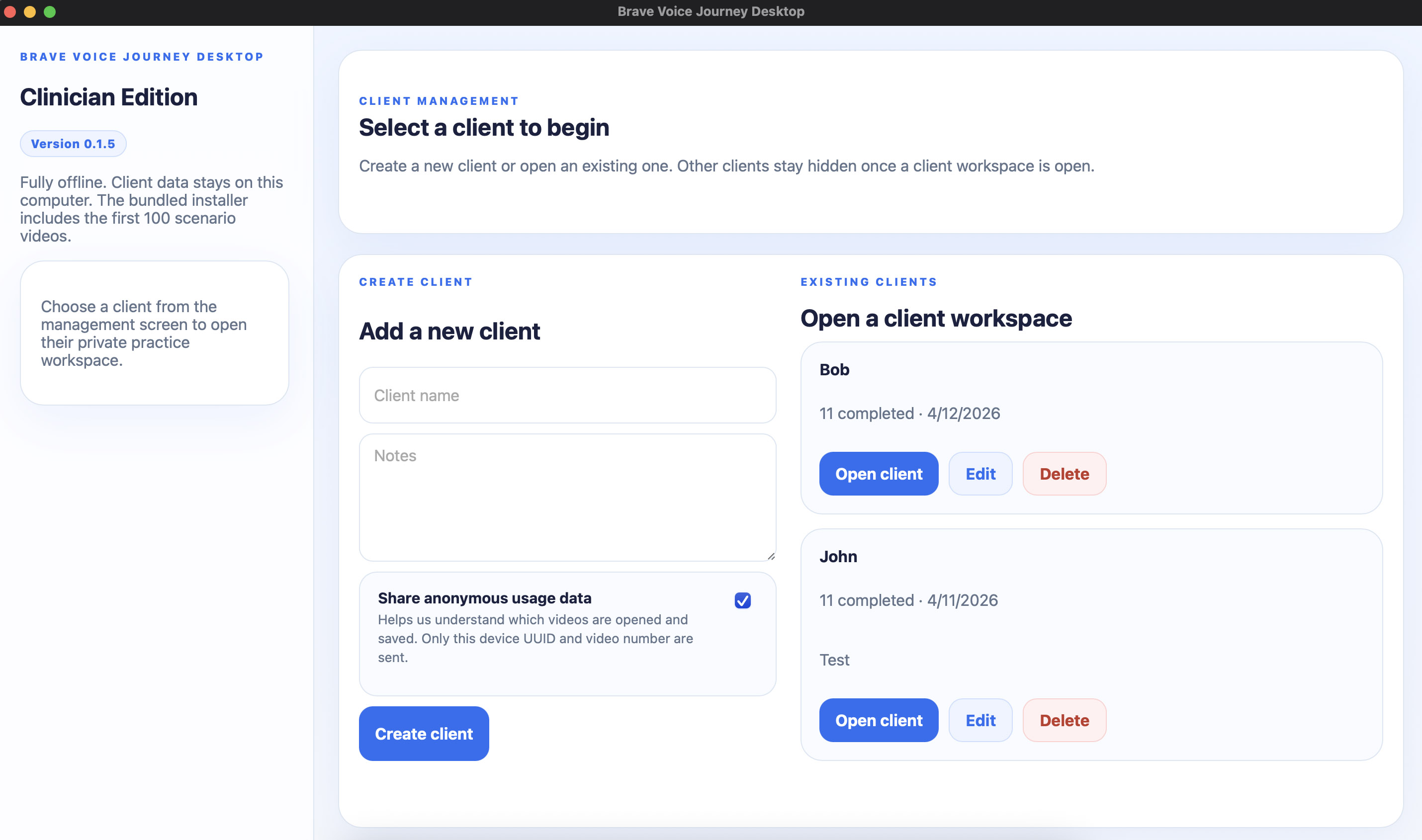
Step 1 — Clinician setup
Launch the app, name the session, and you're ready. No account, no login.
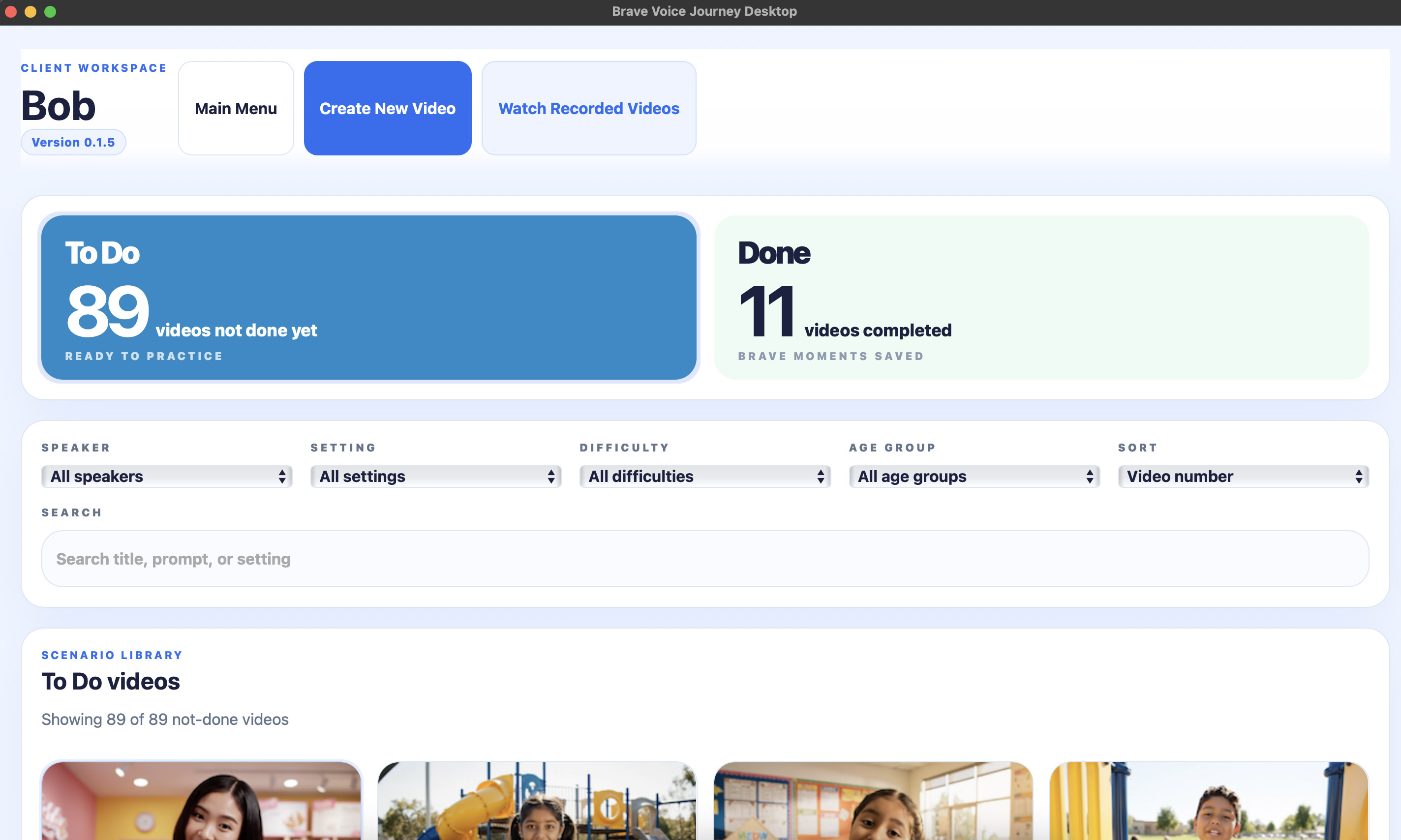
Step 2 — Choose a scenario together
Browse 100+ scenarios by context. Let the child pick — buy-in matters.
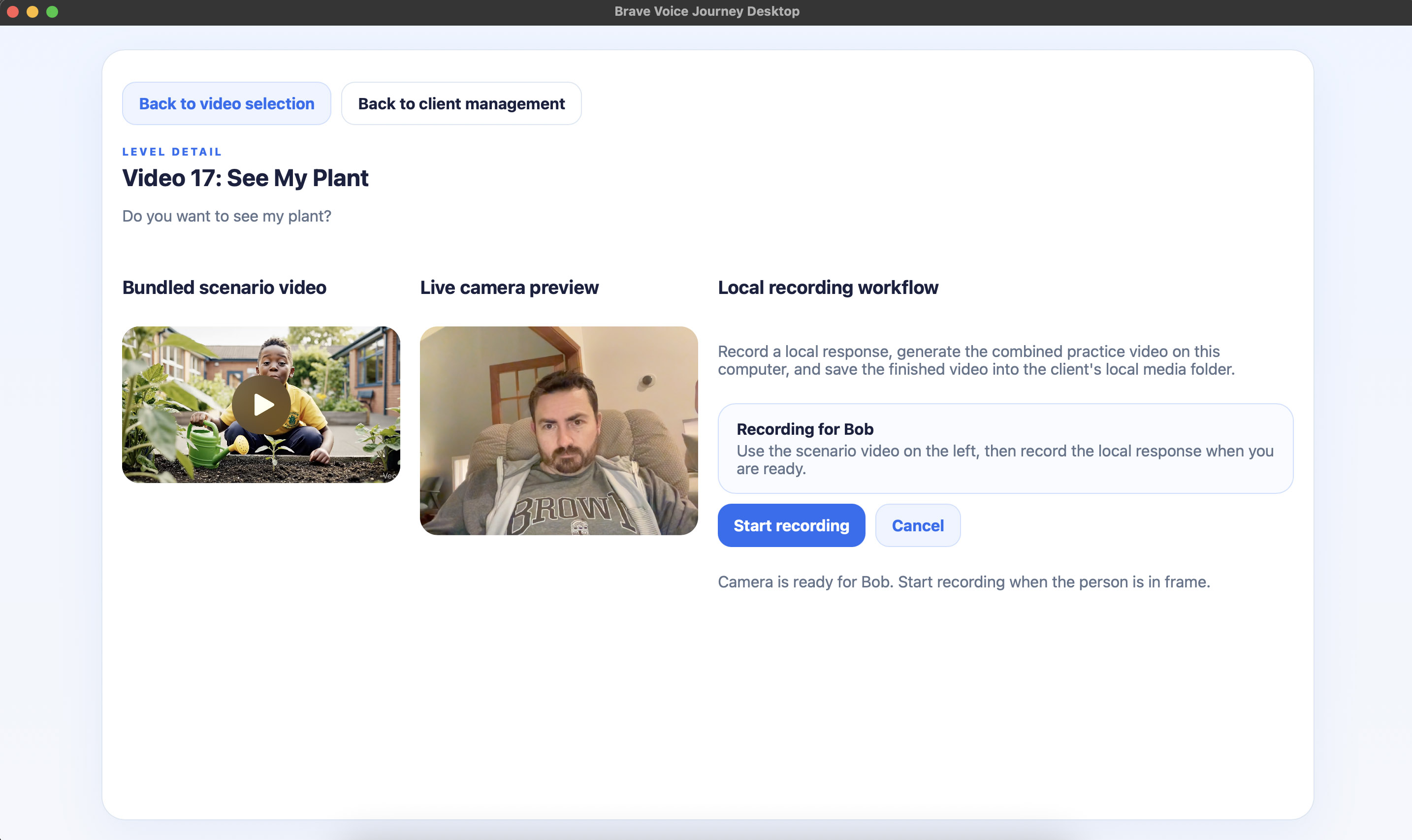
Step 3 — Record and watch back
Child records their response in the room. The app instantly builds the self-model video.
Scenario Library
Scenarios calibrated to where each child is.
The library spans low-challenge entry points to complex social situations — so you can match scenarios to a child's current position in their exposure hierarchy.
Low Challenge
Tell Your Name
Snack Talk
Cookie Choice
Backpack Color
Water at Table
Medium Challenge
Playground Talk
Weekend Check-In
Pizza Toppings
Cool Backpack
Birthday Wish
High Challenge
Something You're Good At
What's Bothering You
Audition Part
Fire Truck Questions
Can I Help You
Full library of 100+ scenarios available in the app. Scenarios span school, restaurant, playground, birthday, and everyday social contexts.
Evidence Base
Built on decades of VSM research.
Video Self-Modeling is a well-established behavioral intervention with a research base spanning more than 30 years. Foundational work by Peter Dowrick demonstrated that children who watch videos of themselves performing target behaviors show meaningful, durable improvements — including in anxiety-based speech avoidance. Thomas Buggey's research applied VSM specifically to children with Selective Mutism, documenting gains in spontaneous speech across school and social settings. Brave Voice Journey is designed to make this evidence-based technique accessible in clinical sessions without requiring video editing skills or technical setup.
Privacy
Built for the privacy standards your practice demands.
Who Built This
Brave Voice Journey was built by Bob Giguere — a former special education teacher, HIPAA-experienced cybersecurity professional, and dad whose daughter largely overcame Selective Mutism. Video self-modeling was one of the tools that helped her find her voice, including the little girl quoted above. Bob built this so clinicians could bring VSM into sessions without needing video editing skills or cloud infrastructure — and engineered the local privacy model himself, drawing on years of consulting organizations on HIPAA controls and data privacy.
Downloads
Download the desktop app for your clinic.
Free for clinicians. No account required. All data stays on your device.
Current version: 0.1.5 — last updated May 2026. Actively maintained.

Mac Download (M1, M2, M3, and newer)
Desktop installer for Apple Silicon Macs.
Ten minutes, no slide deck. I'll show you how it works and get you set up.
The app itself is free. Recordings never leave your device.
I'm Bob — former special ed teacher, and an SM dad. You'll be talking to me, not a salesperson.
Or email contact@bravevoicejourney.com with a few times that work.
Mac Download (Intel)
Desktop installer for older Intel-based Macs.
Ten minutes, no slide deck. I'll show you how it works and get you set up.
The app itself is free. Recordings never leave your device.
I'm Bob — former special ed teacher, and an SM dad. You'll be talking to me, not a salesperson.
Or email contact@bravevoicejourney.com with a few times that work.

Windows Download
Desktop installer for 64-bit Windows computers.
Ten minutes, no slide deck. I'll show you how it works and get you set up.
The app itself is free. Recordings never leave your device.
I'm Bob — former special ed teacher, and an SM dad. You'll be talking to me, not a salesperson.
Or email contact@bravevoicejourney.com with a few times that work.
Clinician Guide
Clinician's Guide to Brave Voice Journey
Download a clinician-facing guide that explains the desktop workflow, local privacy model, and how to use Brave Voice Journey in sessions while keeping recordings on the clinic computer.
PDFDownload Clinician GuidePDFFAQ
Questions clinicians ask first.
Is this a replacement for therapy?
No. It is a tool to use within your existing sessions. The clinician drives the targets, pacing, and how the self-model video fits into treatment.
What ages is it appropriate for?
It is primarily designed for school-age children and teens, though some scenarios can also work well for young adults.
Do I need an account?
No account is needed for the desktop app. Everything runs locally and saves on your device.
Can families use this at home too?
Yes. There is a separate web-based version at bravevoicejourney.com that families can use between sessions as a complement to your clinical work.
Questions about using Brave Voice Journey in your practice?
Reach out to Bob directly